

IT Training Management in 2027: How a Multi-Domain LMS Simplifies Technical Training Across IT Teams

Picture the training landscape in a typical IT organisation as it plans for 2027. The cloud team tracks certifications in a spreadsheet. The application support team uses a shared drive full of recorded sessions. The cybersecurity team has its own portal. Two client-facing delivery units run separate onboarding programmes for the same tools. Ten teams, ten ways of doing training, and nobody can answer a simple question from the CIO: who is trained on what?
[[toc]]
That is the everyday reality of IT training management at scale. Technical training multiplies as teams, technologies and client accounts multiply. Content gets duplicated, access becomes inconsistent and reporting turns into a monthly copy-and-paste exercise. As 2027 budgets are set, many leaders want to bring order to it without taking control away from the teams who know their needs best.
This guide is for CHROs, CLOs, HR directors and L&D leaders in IT companies. It explains what a multi-domain LMS is, how to structure domains by team, business unit or client account, how to balance shared and team-specific content, how to set admin roles and governance, and how to get one reliable view of technical workforce training across the whole organisation in 2027.
Quick answer: how should IT companies manage training across multiple teams in 2027? The most practical approach is a multi-domain LMS: one enterprise learning platform divided into separate domains for each team, business unit or client account. Each domain manages its own users, content and admins, while shared content is created once and reused, and leadership gets central reporting across every domain. This keeps local control and central visibility in one system.
Why IT training management gets harder in 2027
IT training management has always been complex, but several pressures make it harder going into 2027.
- More teams, more specialisms. Cloud, data, cybersecurity, AI, DevOps, service management and application teams each need different technical training.
- Faster technology change. Platforms and tools change quickly, so content goes out of date faster and must be updated in more places.
- Client-driven requirements. IT services teams often need training specific to a client's stack, processes or security rules.
- Distributed and hybrid workforces. Teams work across offices, countries and time zones, which makes consistent access harder.
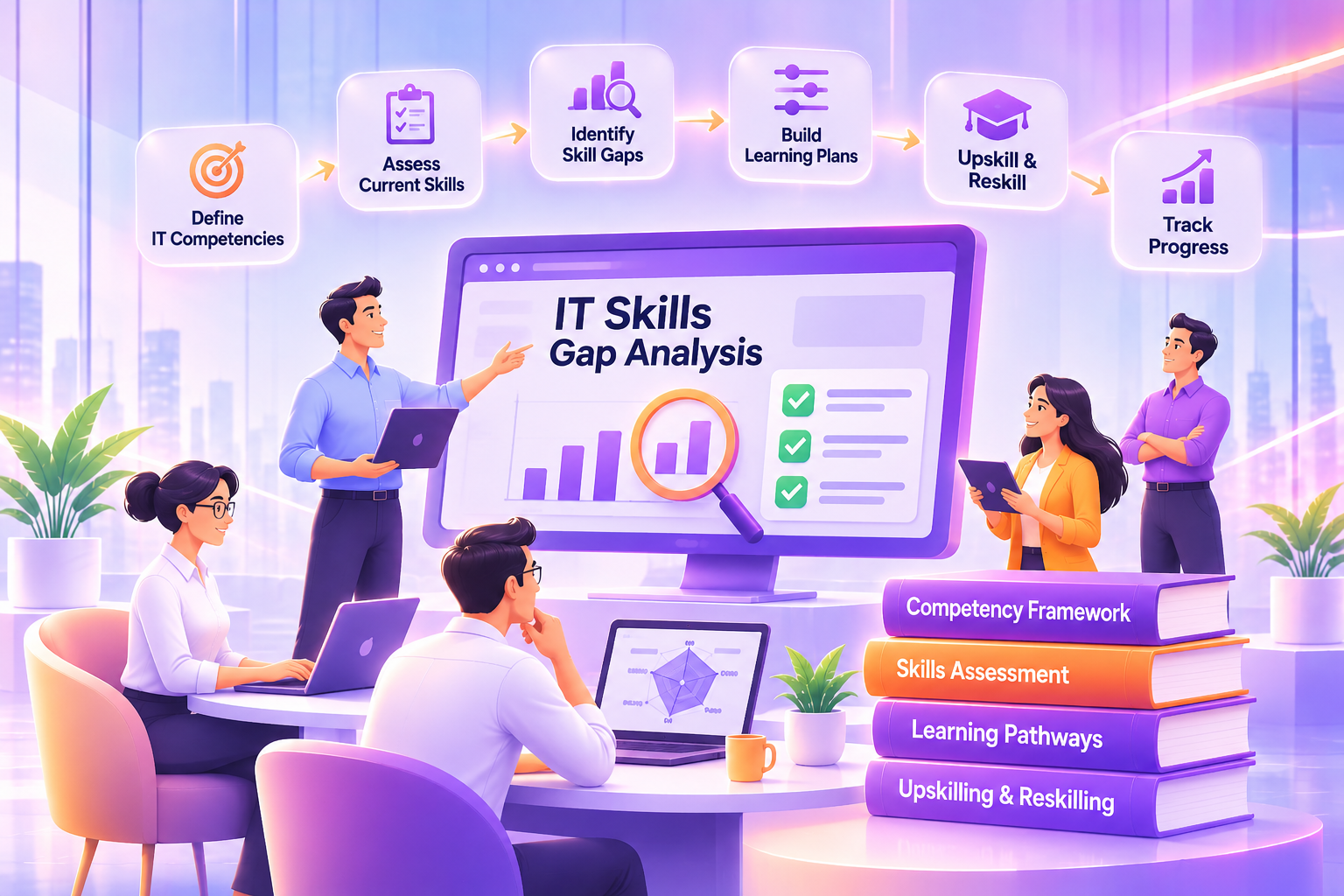
- Pressure to prove capability. Leaders want evidence of who is skilled and certified, not just who completed a course. Our guide to IT skills gap analysis shows how to build that evidence.
The skills pressure is real. In the World Economic Forum's Future of Jobs Report 2025, 85% of surveyed employers said they plan to prioritise upskilling their workforce between 2025 and 2030. For IT organisations, delivering that upskilling across many teams is an operational challenge as much as a learning one.
The pitfalls of running IT employee training in silos
When every team runs its own training, the same problems appear again and again. These are the familiar pitfalls of bad learning and development practices, multiplied by the number of teams.
- Duplicated content. Three teams build three versions of the same onboarding module, each slightly different.
- Inconsistent access. Some employees use the corporate LMS, some use team portals, and some rely on links in chat.
- Scattered records. Certifications, completions and assessment results sit in different systems and spreadsheets.
- No single view. Leadership can't see technical workforce training across the organisation without a manual report.
- Higher cost. Separate tools, licences and admin effort add up, and nobody owns the total.
The opposite extreme, a single central portal where L&D controls everything, creates a different problem: bottlenecks. Teams wait weeks for a course to be published, and training stops matching what they actually need.
What is a multi-domain LMS?
A multi-domain LMS is a single learning management system that is divided into separate, self-contained areas, called domains (sometimes portals or tenants). Each domain can have its own users, content, branding, administrators and reports, while the organisation keeps central control of the platform, shared content and overall reporting.
Multi-domain LMS vs a single portal
- Structure: single portal LMS: one environment for everyone. Multi-domain LMS: separate domains within one platform.
- Content: single portal LMS: everyone sees the same catalogue. Multi-domain LMS: shared content plus domain-specific content.
- Administration: single portal LMS: central team manages everything. Multi-domain LMS: central admins plus domain admins.
- Branding and access: single portal LMS: one look and login. Multi-domain LMS: domain-specific branding and access.
- Reporting: single portal LMS: one set of reports. Multi-domain LMS: domain reports plus a central, cross-domain view.
- Best for: single portal LMS: smaller or uniform organisations. Multi-domain LMS: large IT organisations, business units and client accounts.
The idea is simple: give each team the independence it needs, without creating ten separate systems.
How to structure domains in your IT organisation
The most important design decision is how to divide your domains. There is no single right answer, but most IT companies use one of three models, or a mix.
Domains by team or practice
Create a domain for each technical practice, such as cloud and infrastructure, data and analytics, cybersecurity, application development and IT service management. This works well when practices have very different training needs and their own learning leads.
Domains by business unit or region
Create domains for business units, subsidiaries or regions. This suits organisations that have grown through acquisition or operate in several countries with different languages, policies or regulations.
Domains by client account
IT services firms often create domains for major client accounts. Each account team gets training on the client's tools, processes and security requirements, kept separate from other clients' content.
Illustrative example: an IT services company with 6,000 employees sets up domains for its four technical practices and its three largest client accounts. New joiners complete a shared corporate onboarding path, then move into their practice domain. Engineers assigned to a client account also get access to that account's domain for client-specific training.
Design tips
- Start with the structure your organisation already uses for people management, so domains match reporting lines.
- Keep the number of domains manageable. Create a new domain only when a group genuinely needs separate content, admins or reporting.
- Decide early how people who work across several teams will access more than one domain.
Shared content vs team-specific content
A multi-domain LMS works best when you are clear about what is shared and what is local.
Share across all domains:
- corporate onboarding and code of conduct
- information security and data protection awareness
- company-wide compliance training
- common professional skills such as communication, agile methods and time management
Keep in individual domains:
- technical training specific to a practice's stack and tools
- client-specific processes, standards and security rules
- team runbooks, architecture standards and internal tooling guides
Create shared content once, centrally, and make it available to every domain that needs it. When it is updated, every domain gets the new version. This removes duplication and keeps critical topics consistent.
Admin roles, permissions and governance
Clear roles stop a multi-domain set-up from becoming ten separate systems again.
- Central (super) administrators manage the platform, create domains, own shared content, set standards and run cross-domain reporting.
- Domain administrators manage users, content and assignments within their own domain, such as the cloud practice's learning lead.
- Managers and team leads assign learning to their teams and track progress.
- Content contributors create or update content for their domain, often subject experts.
Agree a simple governance model before launch:
- naming conventions for courses, learning paths and domains
- who can publish content and who approves it
- what must be shared and what can be local
- how often domain content is reviewed
- data access rules, especially for client-specific domains
Role-based permissions should make sure each admin sees and changes only what they are responsible for.
Central reporting across domains
The biggest benefit of a multi-domain LMS for leadership is one reliable view of technical workforce training. Useful cross-domain reports include:
- completion and overdue rates by domain, team and manager
- certifications held and due for renewal, by domain
- assessment results and skills coverage for critical technologies
- learning hours and activity by domain
- shared content completion across the whole organisation
Domain admins see their own reports, while central administrators and leadership see the full picture. This is what makes enterprise learning management workable at scale: local teams act on local data, and leaders make decisions with organisation-wide data.
What changes for each role in 2027
A multi-domain set-up changes day-to-day work for everyone involved in IT employee training, usually for the better.
- CIOs and technology leaders get one view of skills, certifications and training progress across every practice, instead of waiting for a manually compiled report.
- CHROs and CLOs can see how corporate learning investment is used across the IT organisation, and apply shared standards without slowing teams down.
- Domain learning leads publish and update technical content for their own teams without queuing behind a central L&D team.
- Managers assign learning, track their team's progress and see upcoming certification renewals in one place.
- Engineers and analysts find all their training, shared and team-specific, behind one login, instead of hunting across portals and drives.
Illustrative example: a data and analytics practice adopts a new cloud data platform. The practice's domain admin publishes a short learning path within a week, assigns it to the relevant engineers and tracks completion. Meanwhile, the central L&D team sees adoption of the new path in the cross-domain report alongside every other practice.
Common mistakes when setting up a multi-domain LMS
- Creating too many domains. A domain for every small team recreates the silos you were trying to remove. Start with fewer, larger domains.
- Leaving shared content undefined. If teams don't know what is shared, they rebuild it locally and duplication returns.
- Skipping governance. Without naming rules and publishing rights, catalogues become cluttered within months.
- Not training domain admins. Domain admins need clear guidance on assignments, content updates and reports, or the domain becomes inactive.
- Treating reporting as an afterthought. Agree the cross-domain reports leadership needs before launch, so data is structured to support them.
How Invince supports multi-domain IT training management
Invince LMS (formerly UpsideLMS) is an AI-powered enterprise learning platform for onboarding, compliance, upskilling and workforce development, and it supports a multi-domain set-up. As described in our guide to multi-tenant LMS, each domain can operate with its own login portal, branding and admin privileges, content can be shared between domains or restricted to one, and reporting is available both centrally and for each domain, with role-based access control.
For IT organisations, that means:
- Invince LMS gives each practice, business unit or client account its own domain, with one platform and one set of central reports for IT training management.
- Craft is a GenAI-powered multilingual course builder with support for more than 150 languages and over 25 ready-to-use instructional design templates. Domain teams can turn runbooks, architecture standards and client processes into short modules quickly, with subject experts reviewing every output.
- Plethora is a curated library of more than 80,000 ready-to-use learning resources, which can provide shared content for common topics so domain teams focus on what is specific to them.
To see how the same model works for partners, customers and franchisees, read our guide on why a multi-tenant LMS is essential for extended enterprise learning.
2027 implementation checklist for multi-domain IT training management
Use this checklist to plan a multi-domain roll-out for 2027.
Plan
- List every place IT teams manage training today: tools, portals, spreadsheets and shared drives
- Choose your domain model: by practice, business unit, region, client account or a mix
- Define what content is shared and what stays in domains
Set up
- Create domains and assign central and domain administrators
- Agree naming conventions, publishing rules and review cycles
- Migrate or rebuild priority content, starting with shared onboarding and security training
- Connect user data from your HR system so people land in the right domain automatically
Launch
- Pilot with two or three domains before expanding
- Train domain admins and managers on assignments and reports
- Communicate clearly to employees where to find their training
Run and improve
- Review cross-domain reports monthly with technology and HR leadership
- Retire duplicate content and outdated courses
- Add new domains only when a group genuinely needs one
Frequently asked questions about IT training management in 2027
What is IT training management?
IT training management is the planning, delivery, tracking and reporting of training for technology teams, including technical skills, certifications, onboarding and compliance. At scale, it also covers how training is organised across teams, business units and client accounts.
What is a multi-domain LMS?
A multi-domain LMS is one learning management system divided into separate domains, each with its own users, content, administrators and reports. The organisation keeps central control, shared content and cross-domain reporting.
How do IT companies manage training across multiple teams?
Most large IT companies use a single enterprise learning platform with separate areas for each team or business unit. Shared training such as onboarding and security awareness is created once, while each team manages its own technical content and admins, and leadership reviews central reports.
How do you keep training content consistent across business units?
Create common content centrally and share it with every domain that needs it, so updates reach everyone at once. Agree naming conventions, publishing rules and review cycles, and give domain admins clear responsibility for their own content.
What reports should IT training managers track?
Track completion and overdue rates by domain and manager, certifications due for renewal, assessment results for critical technologies, learning hours by domain and completion of shared content across the organisation.
What should IT training managers prioritise for 2027?
Focus on consolidating scattered training into one platform, structuring it around how your IT organisation actually works, keeping technical content current and giving leadership a single view of skills and certifications across every team.
Conclusion: one platform, many teams, ready for 2027
IT training management doesn't have to mean choosing between central control and team independence. A multi-domain LMS gives you both: each practice, business unit or client account manages its own technical training, while shared content is built once and leadership gets one reliable view of technical workforce training.
As you plan for 2027, start with a simple audit of where training lives today. Choose a domain model that matches your organisation, pilot it with a few teams and expand from there.
How many different places do your IT teams manage training today? Share your answer in the comments, or pass this guide to the person planning your 2027 learning budget.
Ready to simplify IT training management for 2027? Audit how many separate places your IT teams manage training today, then book an Invince LMS demo to see how multi-domain management works.
Our latest blogs
Ready to Revolutionize Learning at Your Organization?
Join 400+ enterprises using Invince to upskill, reskill, and retain top talent.
Ready to Revolutionize Learning at Your Organization?
Join 400+ enterprises using Invince to upskill, reskill, and retain top talent.

Ready to Revolutionize Learning at Your Organization?
Join 400+ enterprises using Invince to upskill, reskill, and retain top talent.